
"We Have Backups" Is Less Reassuring Than It Sounds
In IT risk meetings, one sentence comes up more than almost any other: "We have backups."
It sounds reassuring, but it does not answer the question executives actually need answered: "If our primary systems go down tomorrow morning, how many hours until the business is working again?"
Many organizations discover the answer on the day of the incident. The data is intact, but it takes days to provision new servers, restore data, and reconfigure systems. Meanwhile, the business is at a standstill.
This is why Backup and DR (Disaster Recovery) must be understood as two different things.
What Is Backup?
Backup is the practice of keeping a copy of data in another location so that it can be restored if the original is lost, deleted, corrupted, or encrypted by ransomware.
The question Backup answers is: "Do we still have our data?"
Key characteristics:
- A copy of data (files, databases, VM images)
- Taken on a schedule — daily, hourly
- Retained across multiple points in time
- When an incident occurs, infrastructure must already be available to restore the data onto
That last point is the one most often overlooked. Backup does not come with a standby server, a ready network, or any indication of when systems will be back.
What Is DR (Disaster Recovery)?
DR is the plan and infrastructure that allow systems to resume service within a time the business can accept, after a serious event such as fire, flood, extended power failure, cyberattack, or data center outage.
The question DR answers is: "How quickly can the business operate again?"
DR consists of:
- Standby infrastructure — a secondary site or cloud environment ready to run workloads
- Replication — data at the standby site kept current
- A recovery runbook — which systems come up first, and who is responsible for what
- Testing (DR drills) — regular rehearsals to confirm the plan actually works
Backup vs DR — Direct Comparison
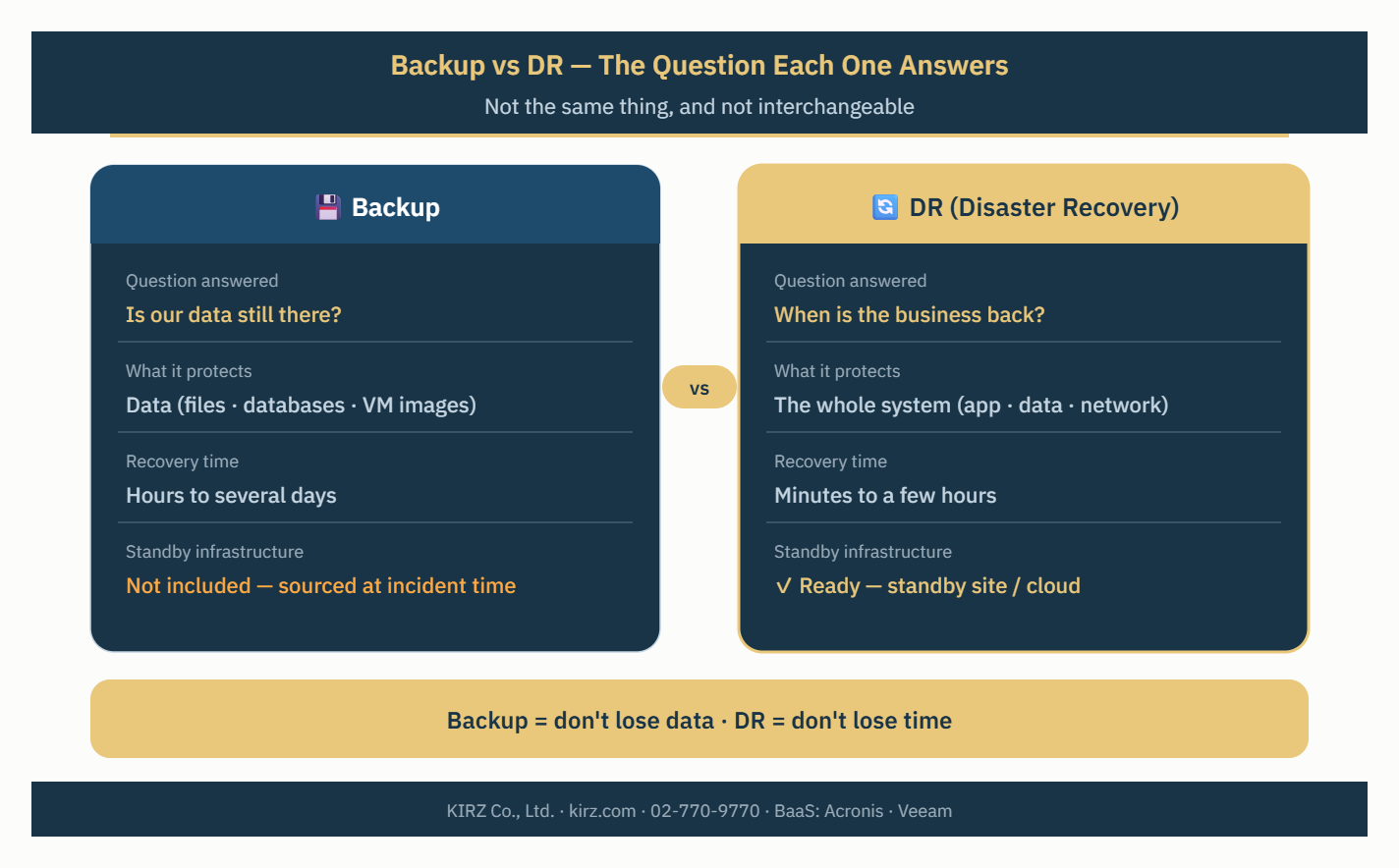
| Backup | DR | |
|---|---|---|
| Question answered | Is our data still there? | When is the business back? |
| What it protects | Data | The whole system (app + data + network) |
| Primary goal | Avoid data loss | Minimize downtime |
| Recovery time | Hours to several days | Minutes to a few hours |
| Standby infrastructure | Not included | Ready to run |
| Cost | Lower | Higher (depends on tier) |
| Plan and rehearsal | Recommended | Essential |
In short: Backup protects you from losing data. DR protects you from losing time.
RTO and RPO — The Two Numbers That Separate Them
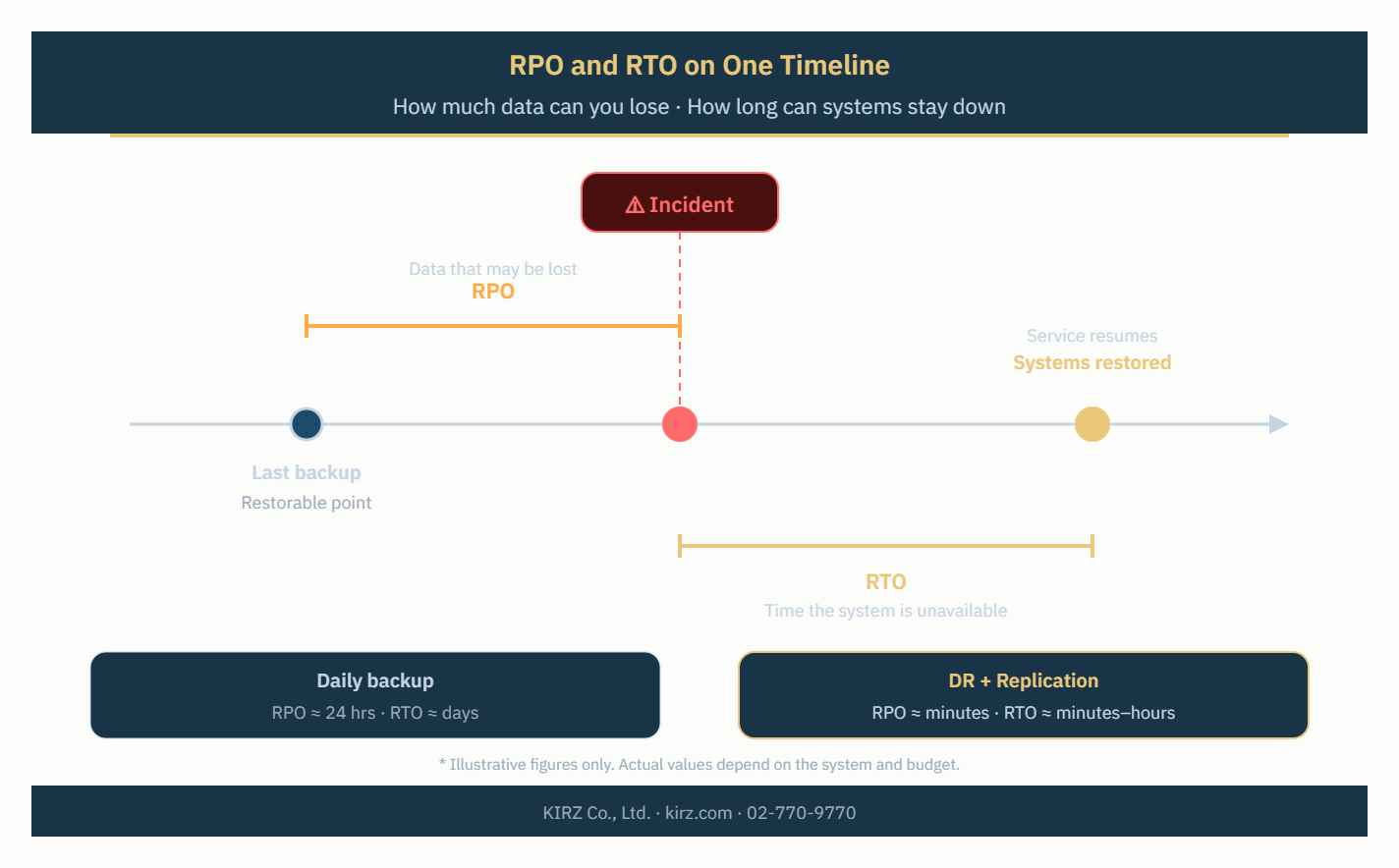
Every organization should be able to answer two questions for each system:
RPO (Recovery Point Objective) — how much recent data can you afford to lose?
Example: RPO of 24 hours means losing up to one day of data is acceptable.
RTO (Recovery Time Objective) — how long can the system stay down?
Example: RTO of 4 hours means the system must be back within 4 hours.
A typical daily backup gives an RPO of roughly 24 hours, but the RTO depends on how long it takes to provision servers and restore data — often measured in days. DR is designed specifically to bring RTO down to hours or minutes.
The figures above are illustrative examples. Appropriate targets depend on each system's criticality and the organization's budget.
4 Common Misconceptions
1. "We have backups, so we don't need DR"
A backup with nowhere to restore it is like holding a spare key with no house to open.
2. "Keeping the backup next to the primary system is fine"
If the backup sits in the same server room, one fire or flood destroys both copies. The widely used guideline is 3-2-1: three copies, on two types of media, with at least one stored off-site.
3. "Backups succeed every night, so we can restore"
A job showing "Success" does not guarantee a working restore. Restore testing must be done regularly.
4. "Ransomware doesn't touch backups"
Modern ransomware actively tries to encrypt or delete backups as well. Keep at least one copy separated from the main network (off-site or immutable) so a clean version remains.
Which Level Does Your Organization Need?
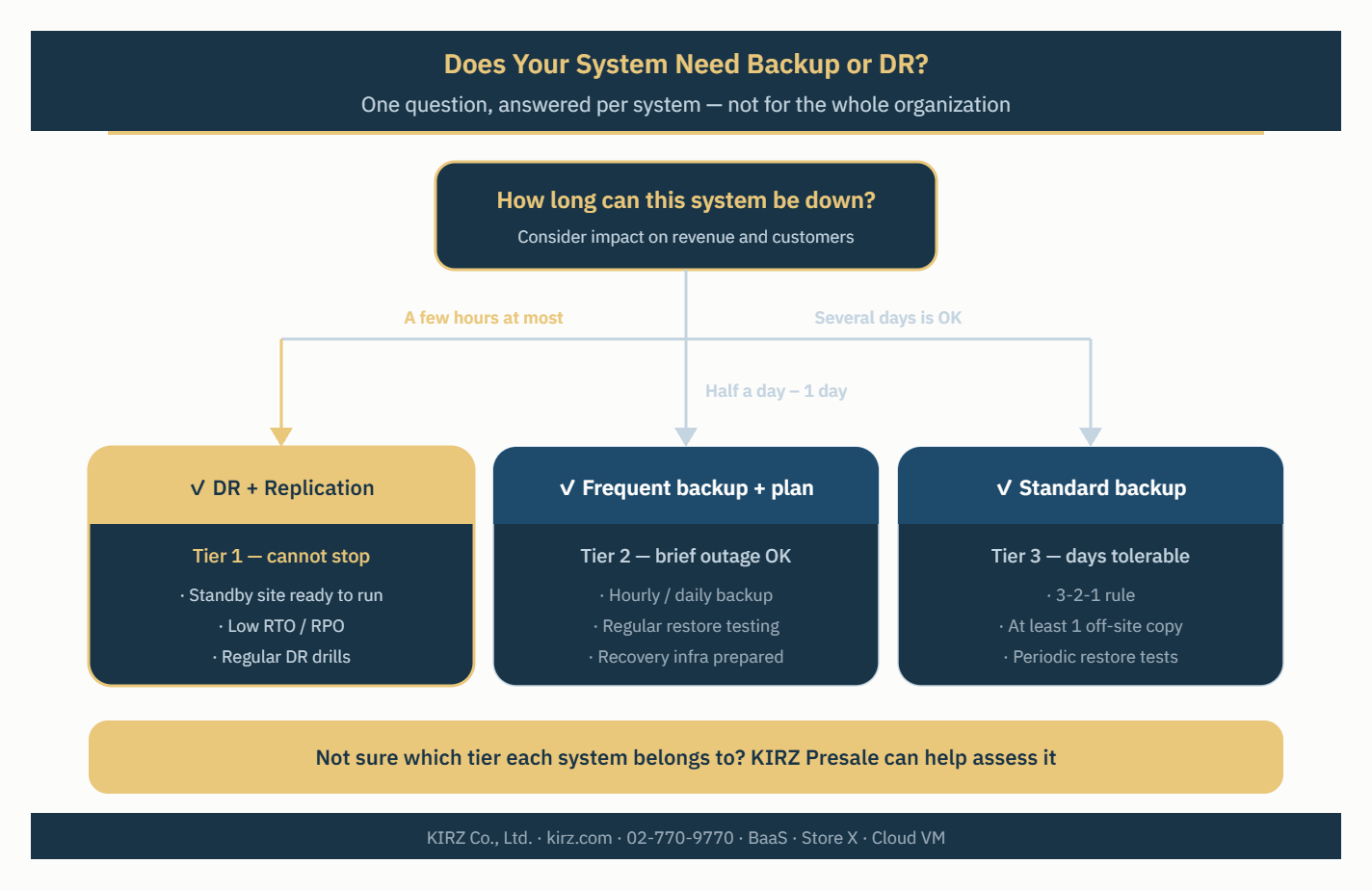
Not every system needs full DR. A practical approach is to tier systems by criticality:
| Tier | Example systems | Approach |
|---|---|---|
| Tier 1 — cannot stop | Core systems, payments, patient systems | DR with replication, low RTO/RPO |
| Tier 2 — brief outage tolerable | ERP, email, internal apps | Frequent backup + a rehearsed recovery plan |
| Tier 3 — days tolerable | Supporting systems, dev/test | Standard backup schedule |
This focuses DR investment where it pays off, and uses backup to protect everything else.
How KIRZ Helps
KIRZ offers Backup as a Service (BaaS), managed end-to-end — agent, schedule, retention, and restore — on infrastructure in Thailand. Two platforms are available depending on the organization:
- Acronis Cyber Protect Cloud — combines Backup, Anti-malware, EDR, and Disaster Recovery in one platform. Suited to SMEs through enterprises wanting all-in-one protection.
- Veeam Backup & Replication — supports Backup, Replication, and Instant Recovery. Suited to organizations running VMware or Hyper-V that need low RTO and RPO.
Building blocks that work together:
- KIRZ Store X — S3-compatible object storage as the backup target, with data kept in Thailand
- KIRZ Cloud VM — usable as the standby site for DR
- Private Line / SR-MPLS — secure connectivity between primary and standby sites
- 24/7 NOC — monitoring and alerting when something goes wrong
KIRZ's Presale team can help assess each system's tier and design a protection level that fits the budget.
Conclusion — Ask the Right Question
"Do we have backups?" is easy to answer. "How many hours until our critical systems are back, and have we ever tested it?" is the question that reveals real readiness.
- Backup = don't lose data
- DR = don't lose time
- A resilient organization needs both — and rehearses them regularly
Want to assess your organization's Backup and DR readiness?
Contact KIRZ's specialists at kirz.com or call 02-770-9770.